

Skip to content
Rush Tamizha
Jio Payments Bank official logo

Bank

Jio Payments Bank Account Opening Online 2026 (Zero Balance)

Complete your Jio Payments Bank account opening online with zero minimum balance, instant Aadhaar & PAN e-KYC, UPI payments, and up to 4% p.a. interest.

1.1L+ ratings
4.4
Downloads
10M+
  • ₹0 minimum balance requirement
  • 100% digital savings account opening
  • Up to 4% p.a. savings interest based on balance slabs
  • UPI transfers, bill payments and mobile recharges
  • Jio RuPay Platinum debit card option
  • Open using JioFinance or MyJio app
  • No Jio SIM required
Share this guide

Affiliate disclosure: Some links on this page are affiliate links. If you apply or sign up through them, we may earn a commission at no extra cost to you. Read our disclaimer.
Jio Payments Bank Account Opening Online – Step-by-Step Process

  1. 1

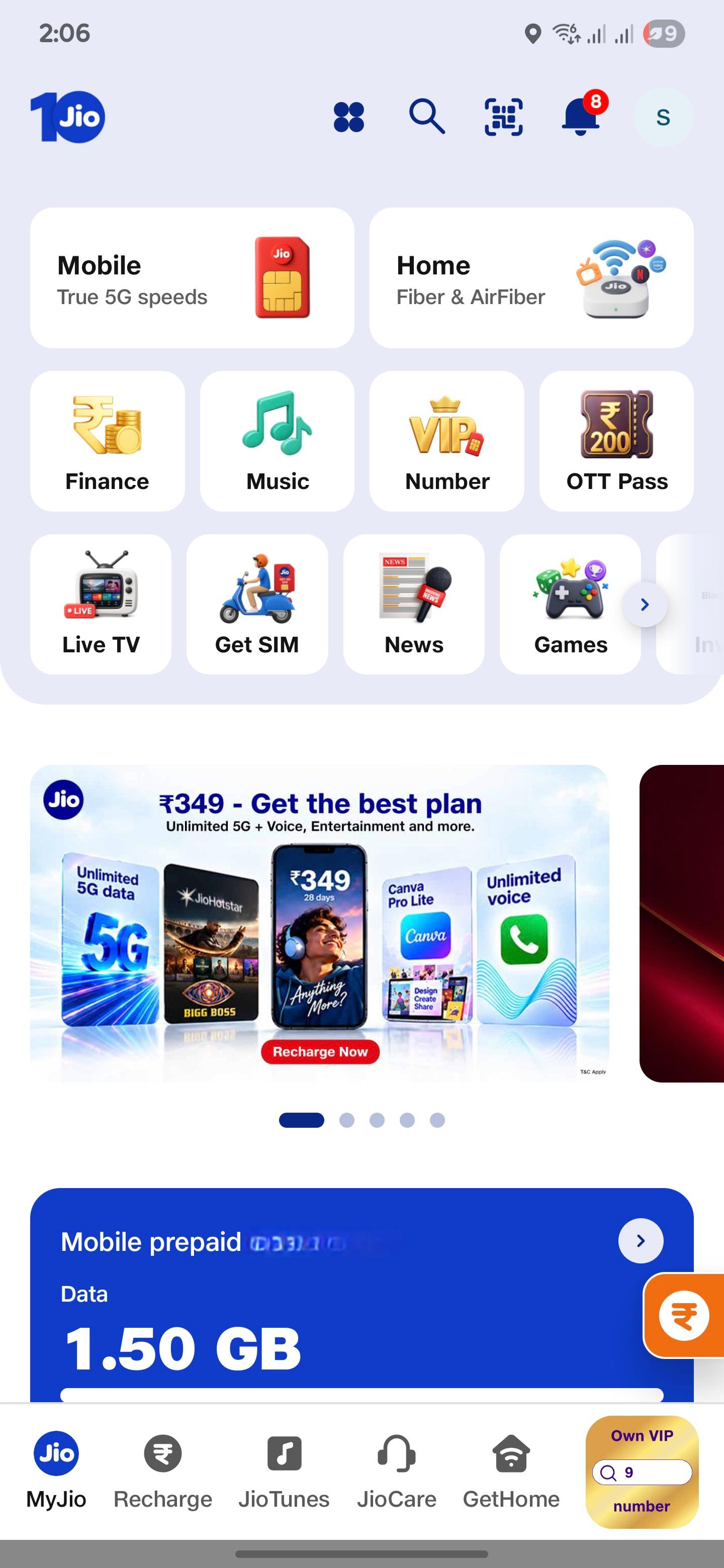
    Download and Open the JioFinance or MyJio App

    Jio Payments Bank account opening online step 1 JioFinance app Finance tab

    Click the Open Account link below to install and launch the official JioFinance or MyJio app on your smartphone, then tap on the Finance or Bank tab.

    Open Account
  2. 2

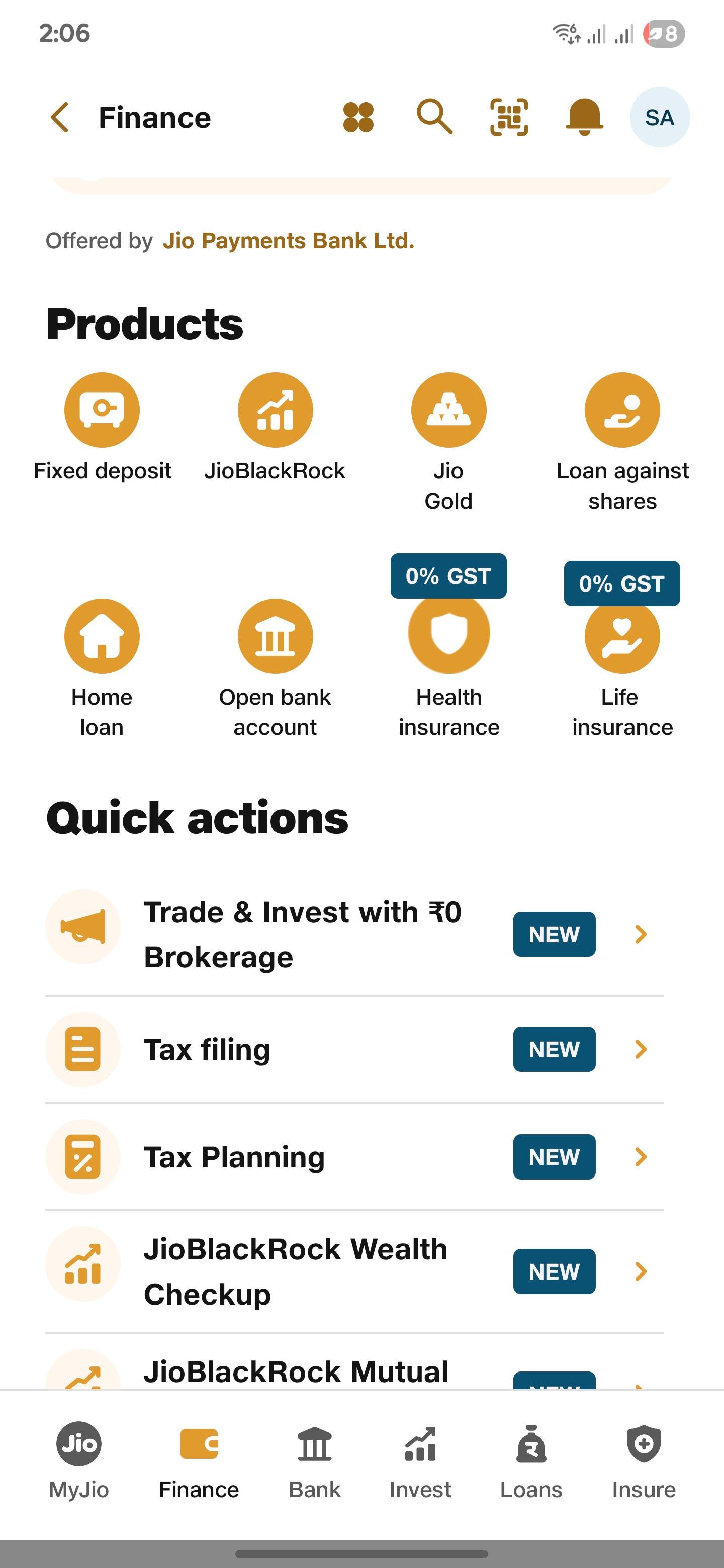
    Tap on Open Bank Account

    Jio Payments Bank Open Bank Account option in JioFinance app

    Inside the Finance dashboard, locate and select the "Open Bank Account" option to start your Jio Payments Bank account opening online.
  3. 3

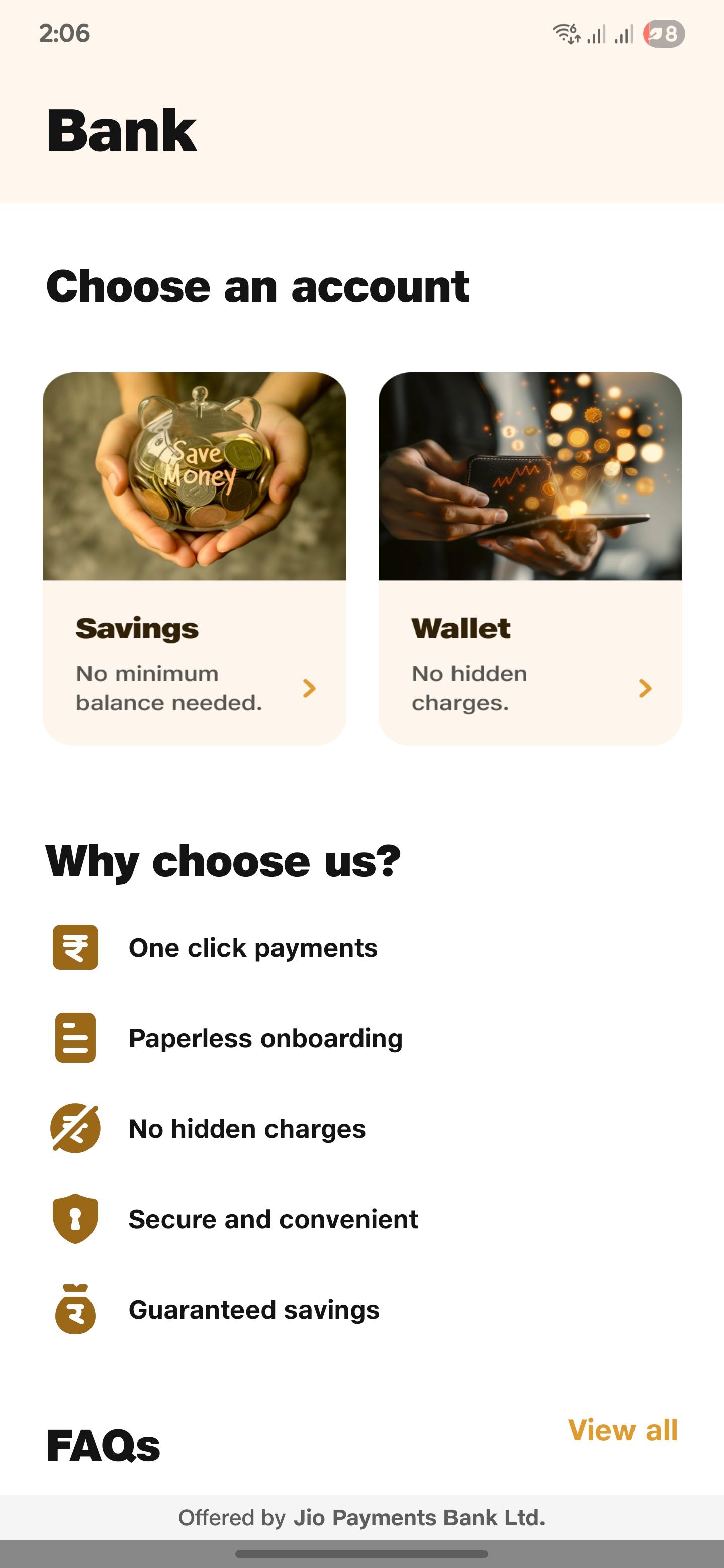
    Select Savings Account

    Select Jio Payments Bank Savings Account option screen

    Choose the "Savings Account" option from the available banking products to proceed with your zero balance digital account setup.
  4. 4

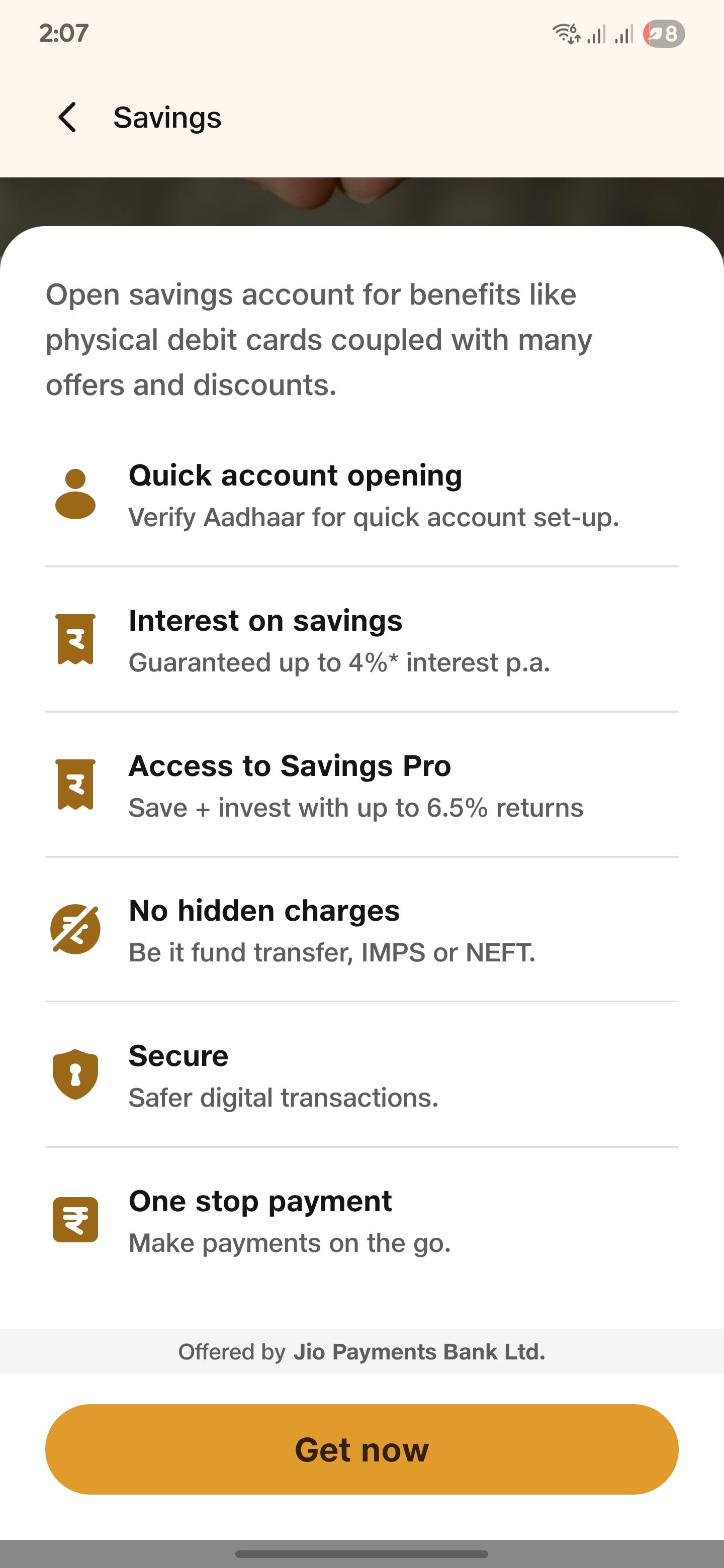
    Review Key Benefits and Continue

    Jio Payments Bank savings account benefits and features screen

    Read the zero balance savings account features, interest rates, and digital banking benefits displayed on screen, then tap Continue.
  5. 5

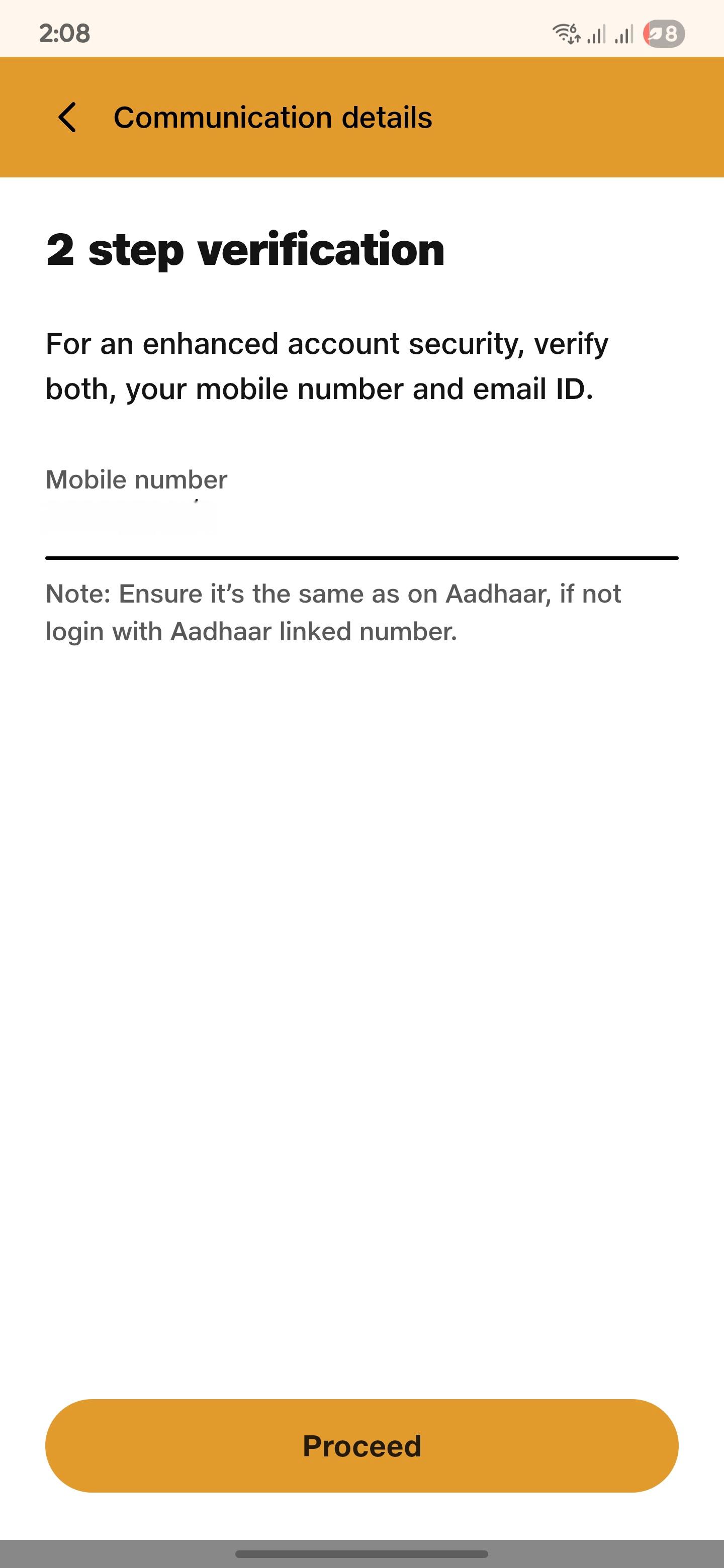
    Enter Aadhaar-Linked Mobile Number

    Enter Aadhaar-linked mobile number for Jio Payments Bank verification

    Enter your 10-digit mobile number that is linked with your Aadhaar card and tap Verify to receive a one-time password.
  6. 6

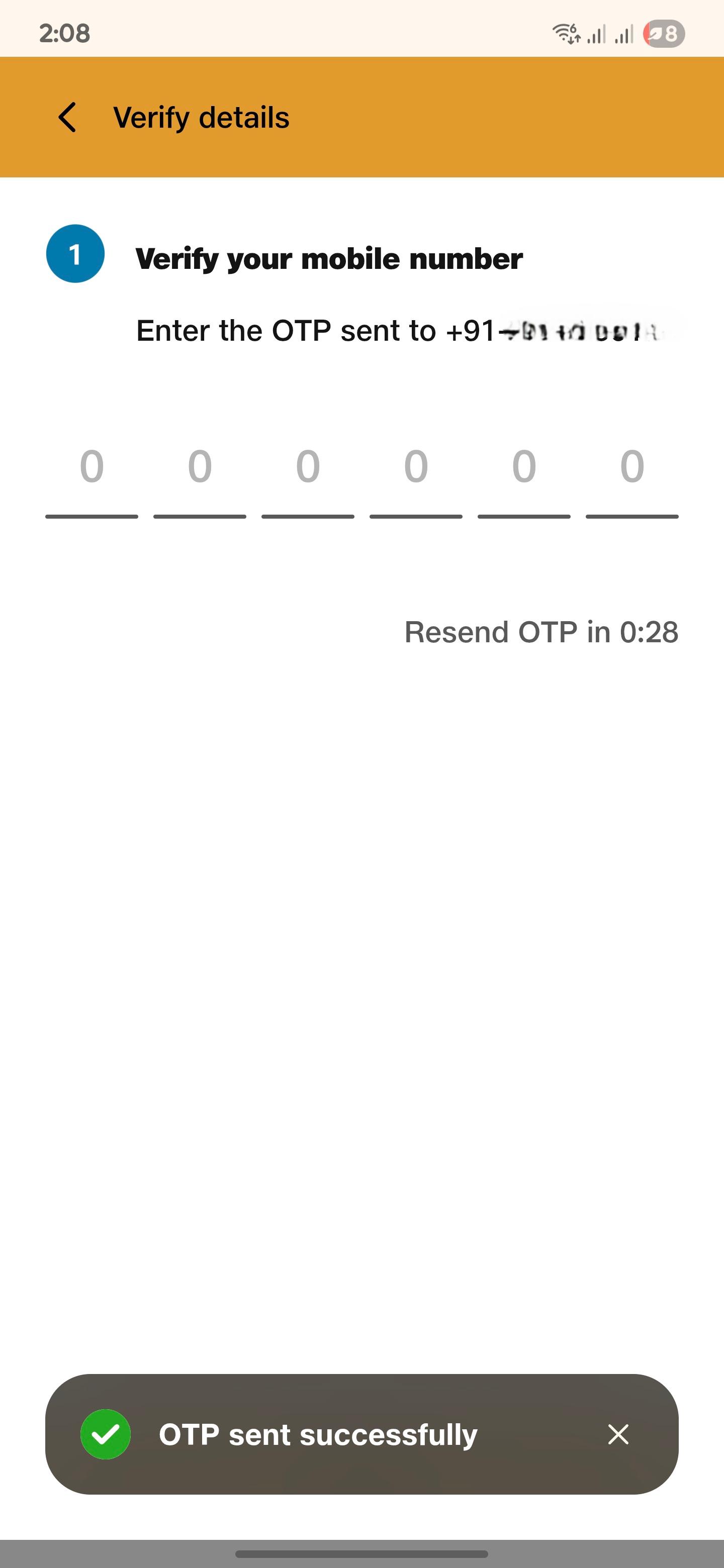
    Verify Mobile Number with OTP

    Submit mobile OTP for Jio Payments Bank account opening

    Enter the 6-digit OTP sent via SMS to your mobile number and submit to verify your phone number.
  7. 7

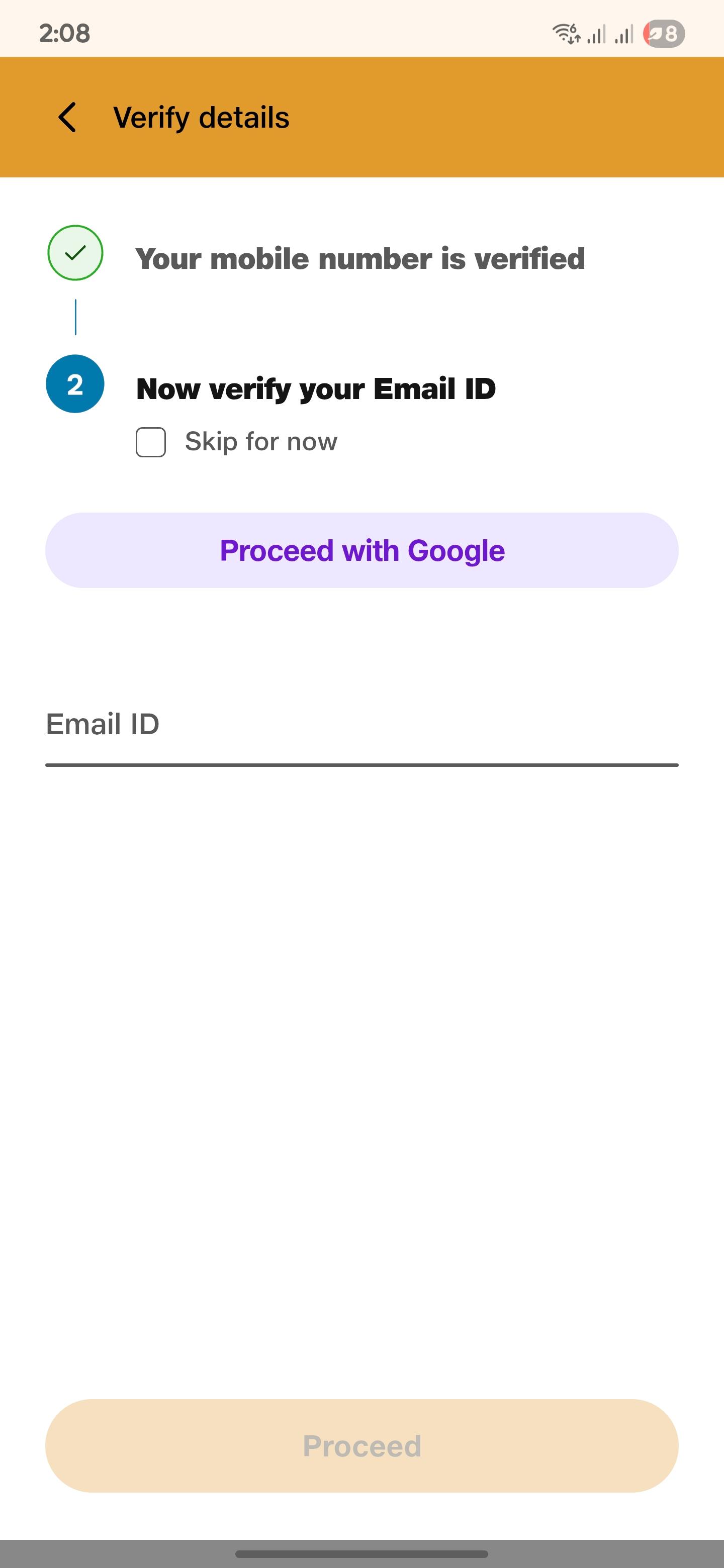
    Verify Email ID or Skip for Now

    Email verification or skip option in Jio Payments Bank onboarding

    Verify your Gmail/email address for digital statements and alerts, or tap "Skip for now" to continue directly.
  8. 8

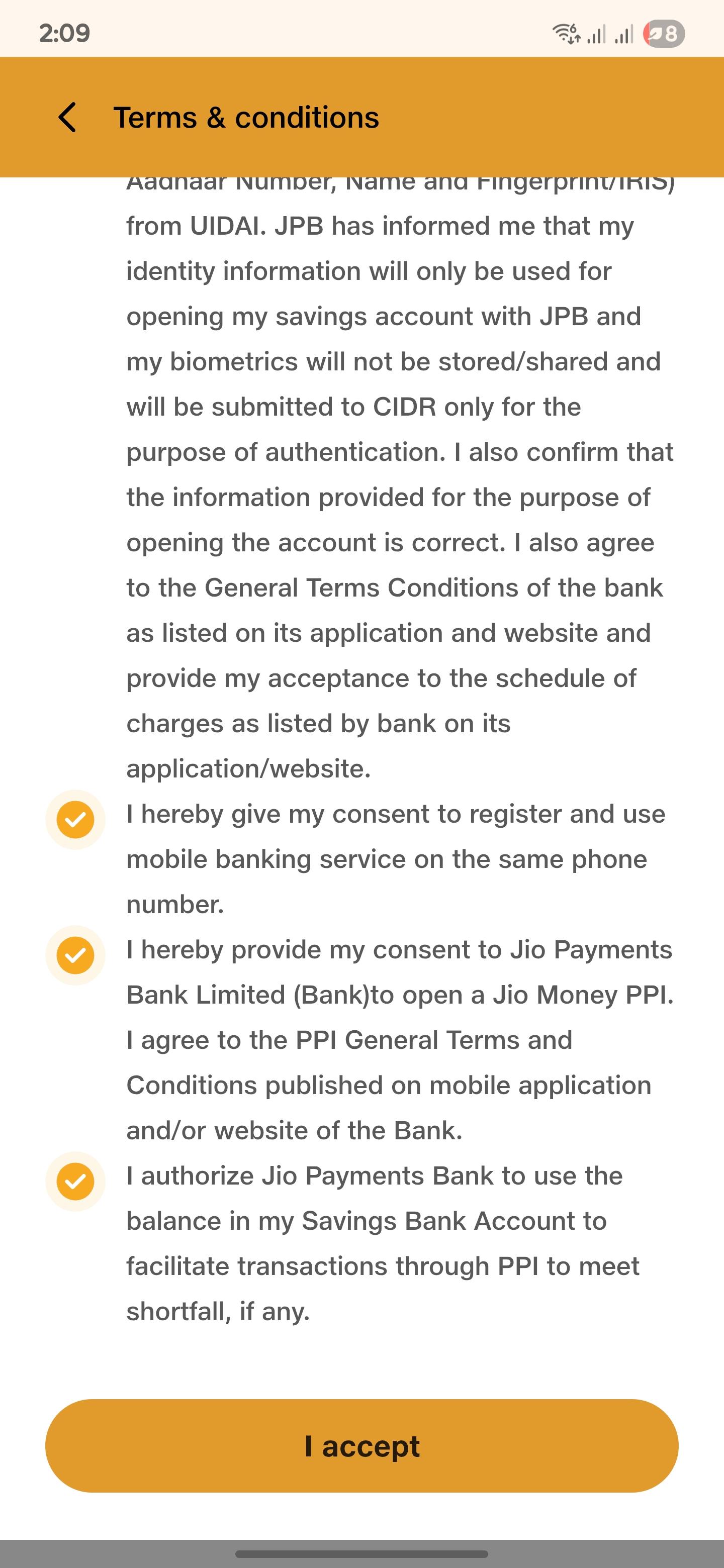
    Accept Terms and Conditions

    Jio Payments Bank terms and conditions acceptance screen

    Carefully read the Jio Payments Bank terms, conditions, and regulatory disclosures, then agree to move to the next step.
  9. 9

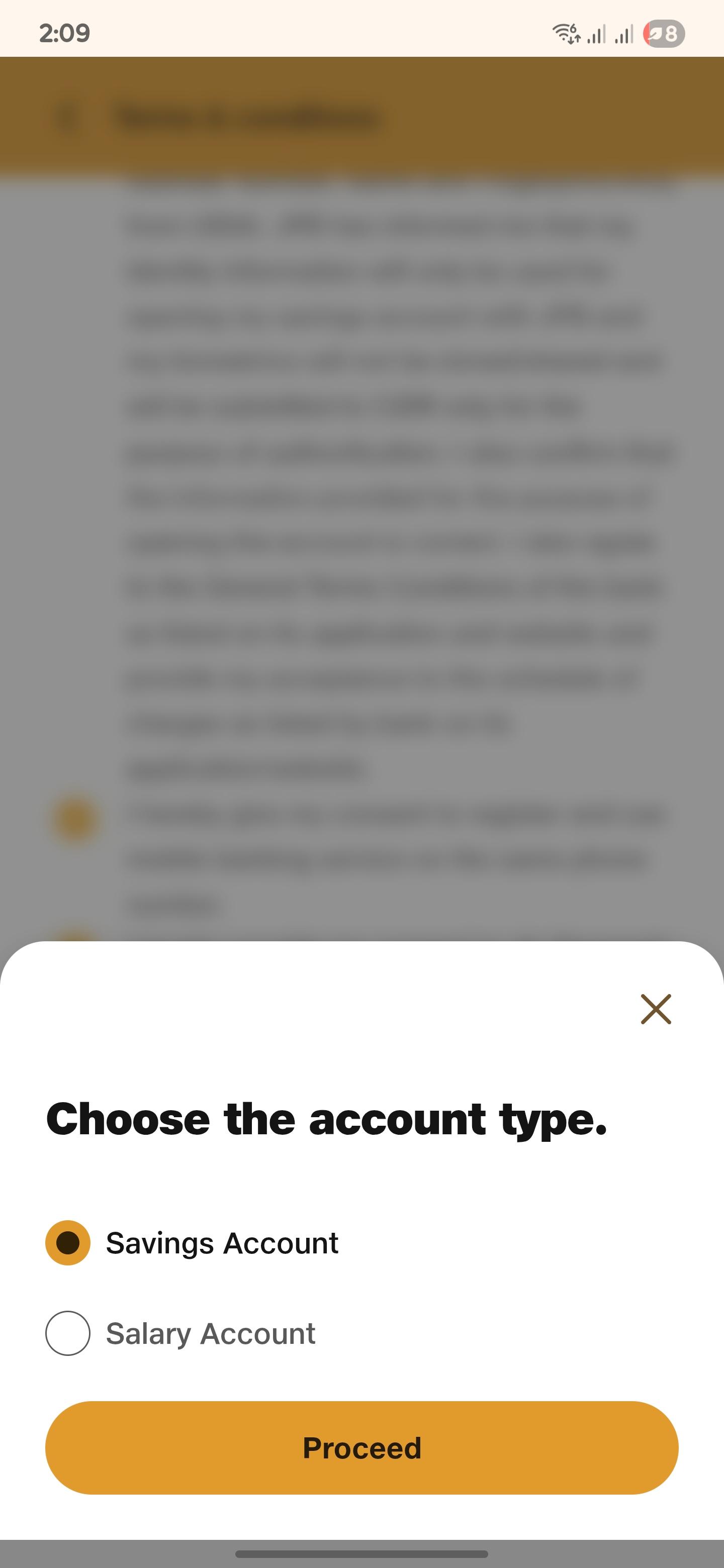
    Choose Your Account Type

    Select Jio Payments Bank savings account type screen

    Select your preferred Jio Payments Bank savings account variant from the options shown on screen.
  10. 10

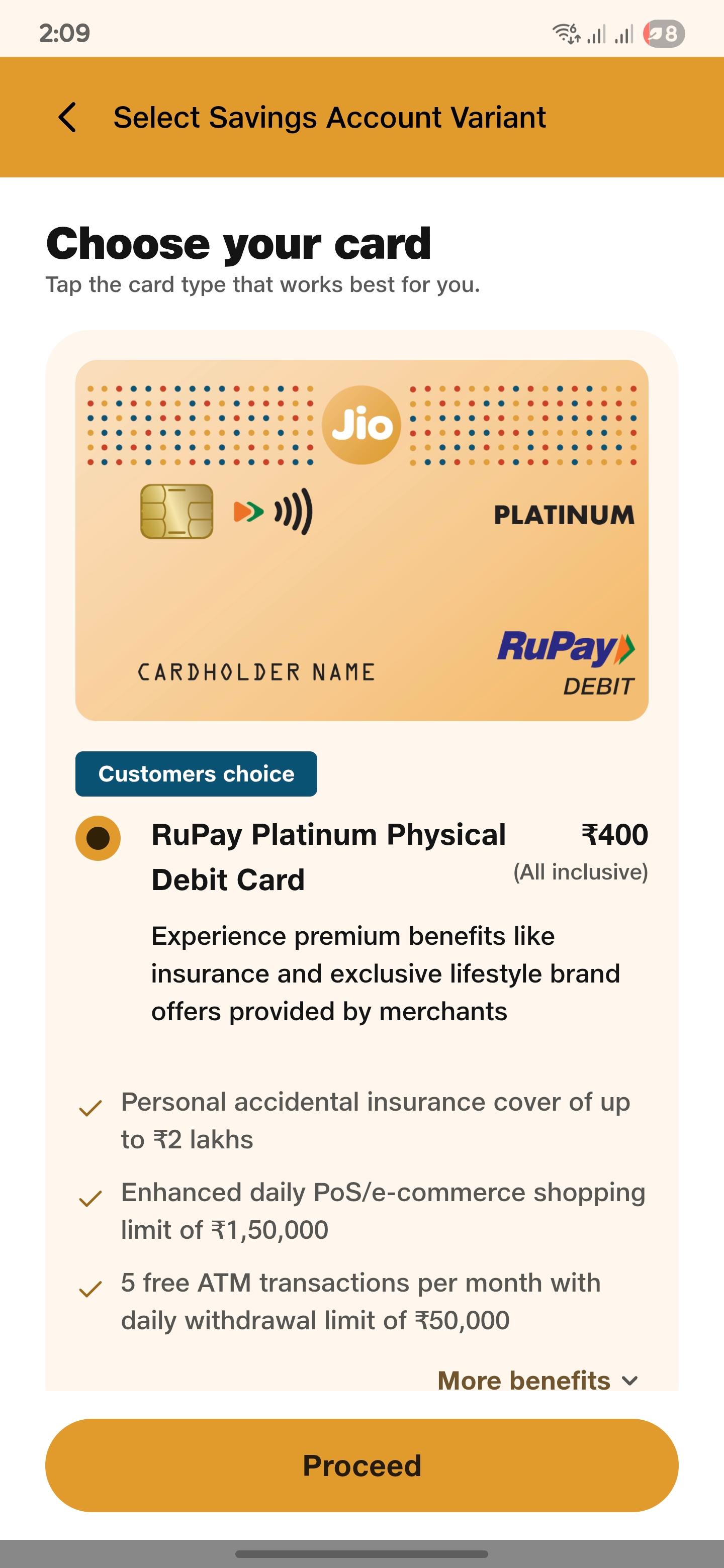
    Choose With or Without Physical ATM Card

    Choose with ATM card or without ATM card in Jio Payments Bank

    Select whether you want a physical RuPay Platinum ATM/debit card delivered to your address or prefer a digital-only account without a physical card.
  11. 11

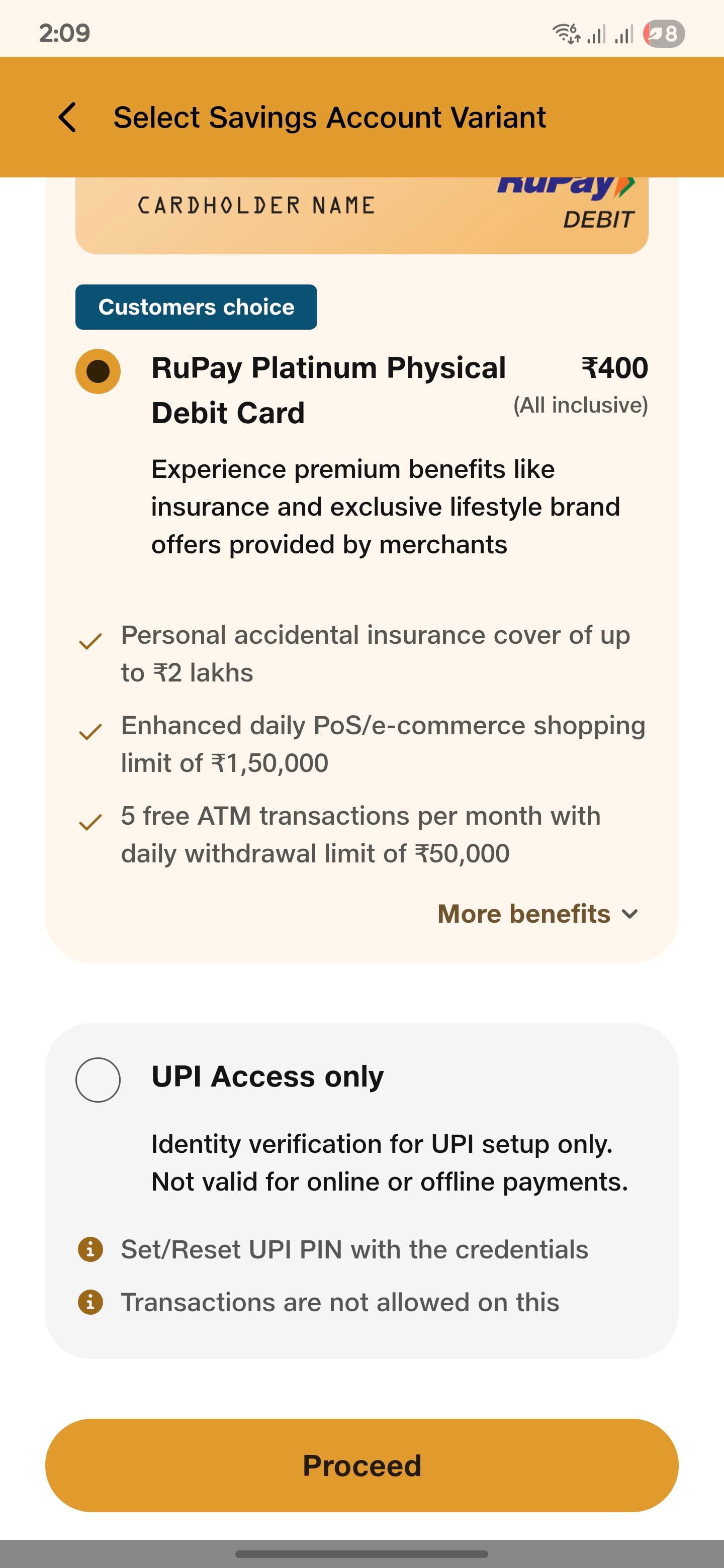
    Review Card Selection and Proceed

    Confirm debit card preference for Jio Payments Bank account

    Confirm your debit card preference and tap Proceed to move on to the identity verification stage.
  12. 12

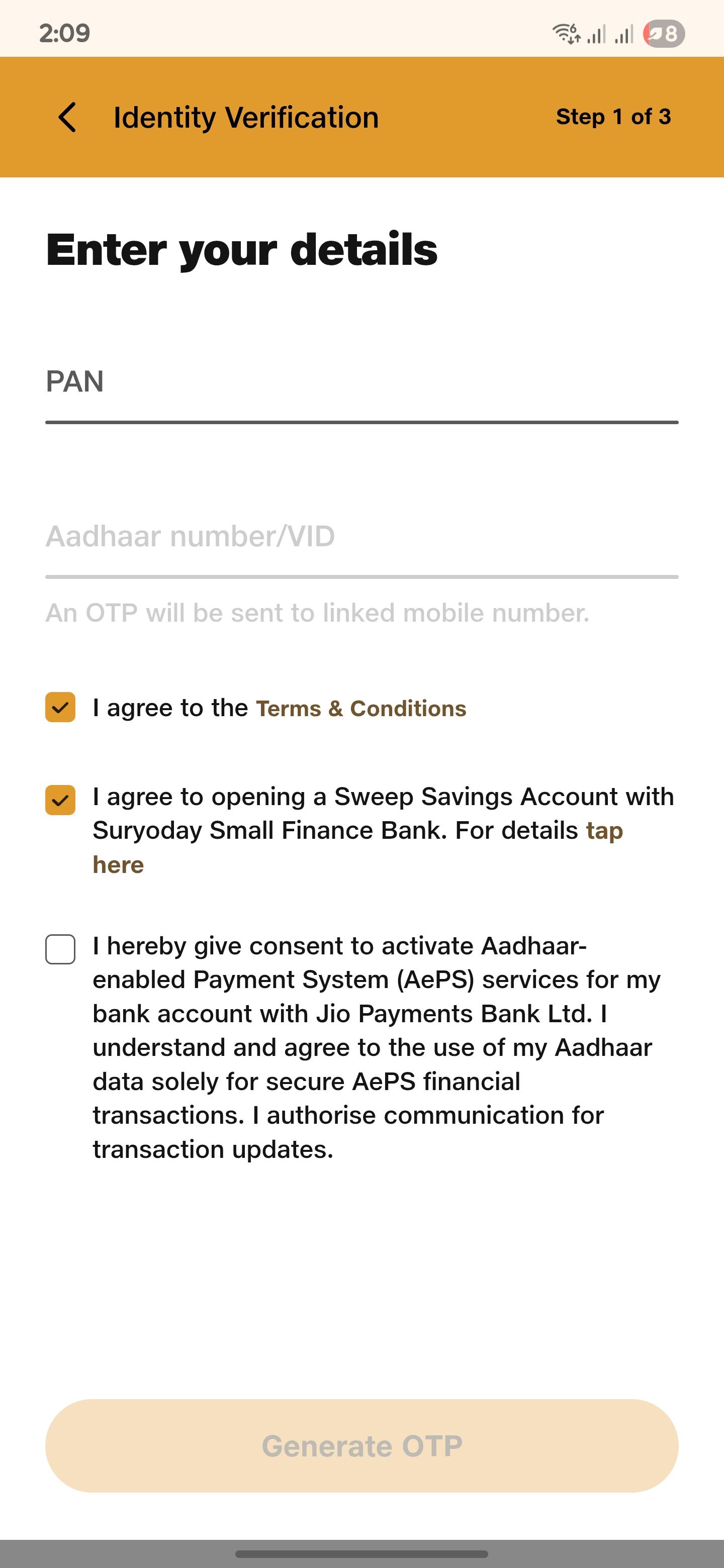
    Enter PAN and Aadhaar Details

    Enter PAN card and Aadhaar number for Jio Payments Bank KYC

    Enter your valid 10-character PAN number and 12-digit Aadhaar number accurately for instant e-KYC verification.
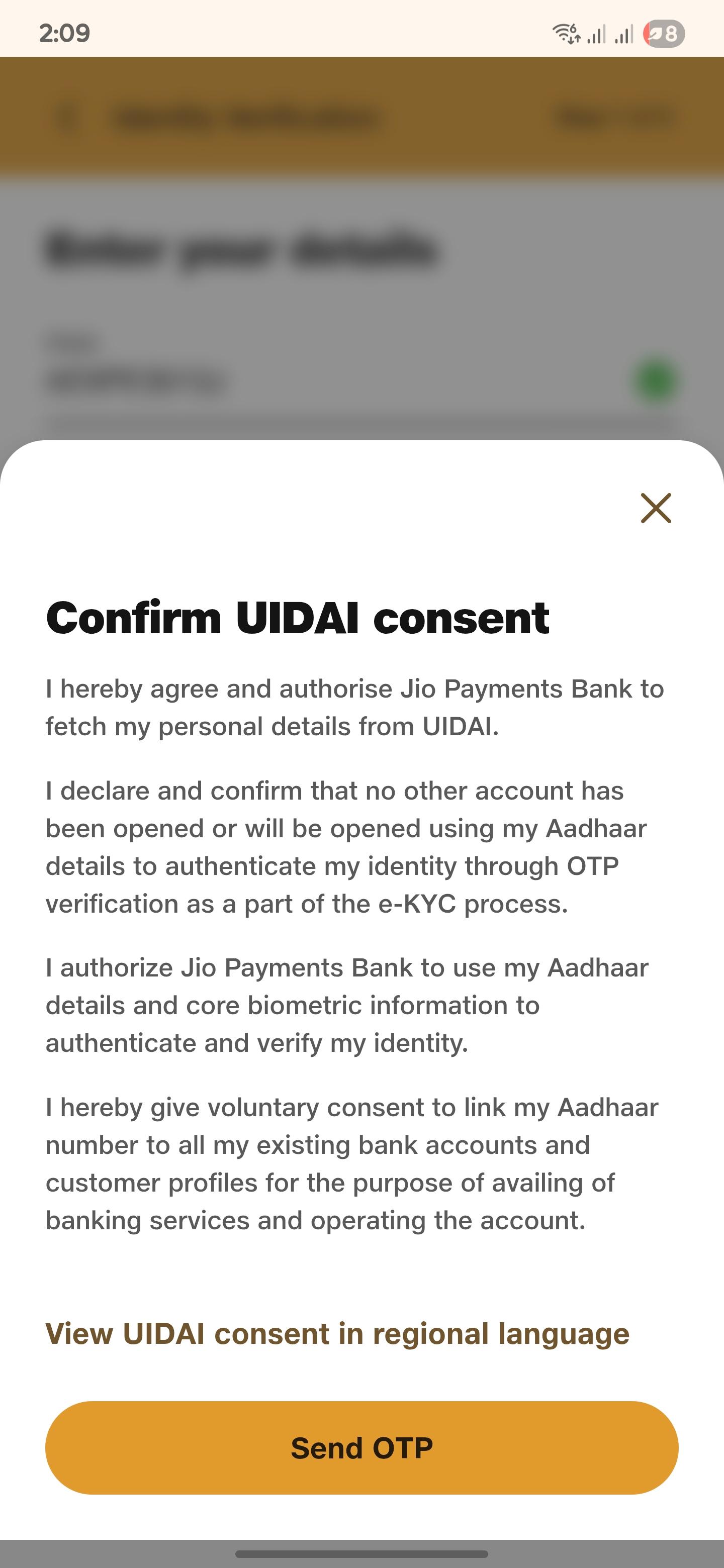
  13. 13

    Confirm Identity Verification Request

    Confirm PAN and Aadhaar details in Jio Payments Bank app

    Review your entered PAN and Aadhaar details and tap Confirm to trigger your Aadhaar OTP authentication.
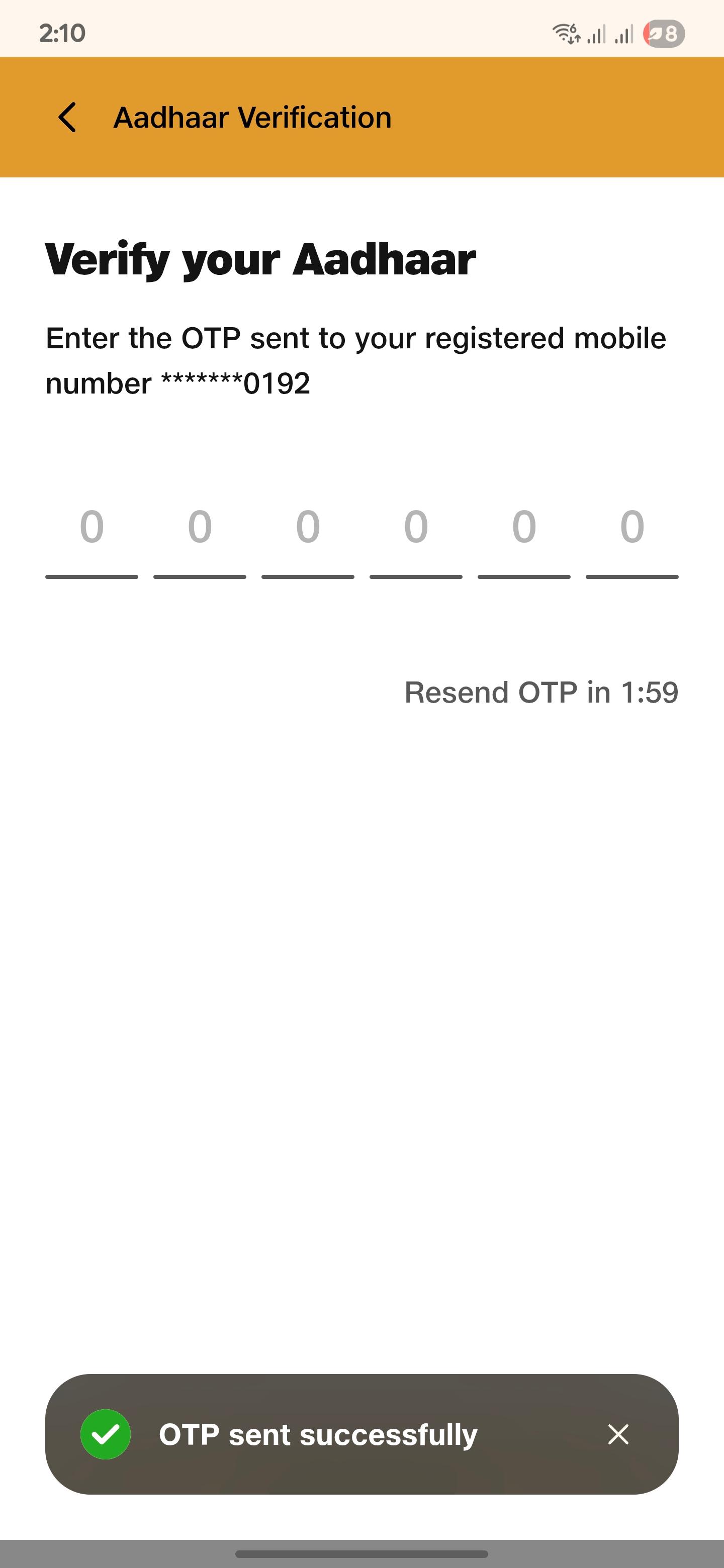
  14. 14

    Enter Aadhaar OTP

    Enter UIDAI Aadhaar OTP for Jio Payments Bank e-KYC

    Enter the OTP sent by UIDAI to your Aadhaar-registered mobile number and submit to fetch your e-KYC details.
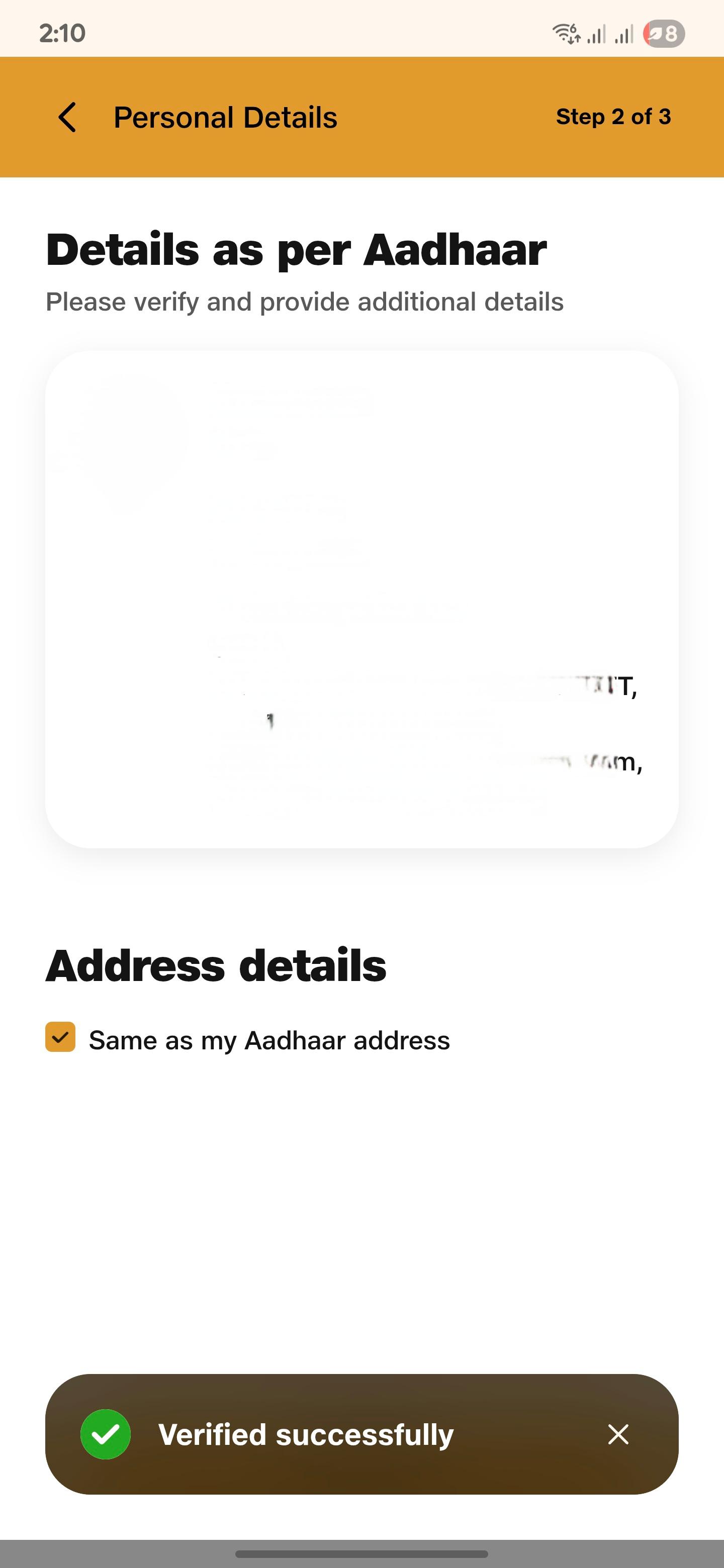
  15. 15

    Confirm Your Aadhaar Details

    Confirm fetched Aadhaar KYC data in Jio Payments Bank

    Verify your name, date of birth, photo, and residential address fetched from Aadhaar, then tap Confirm.
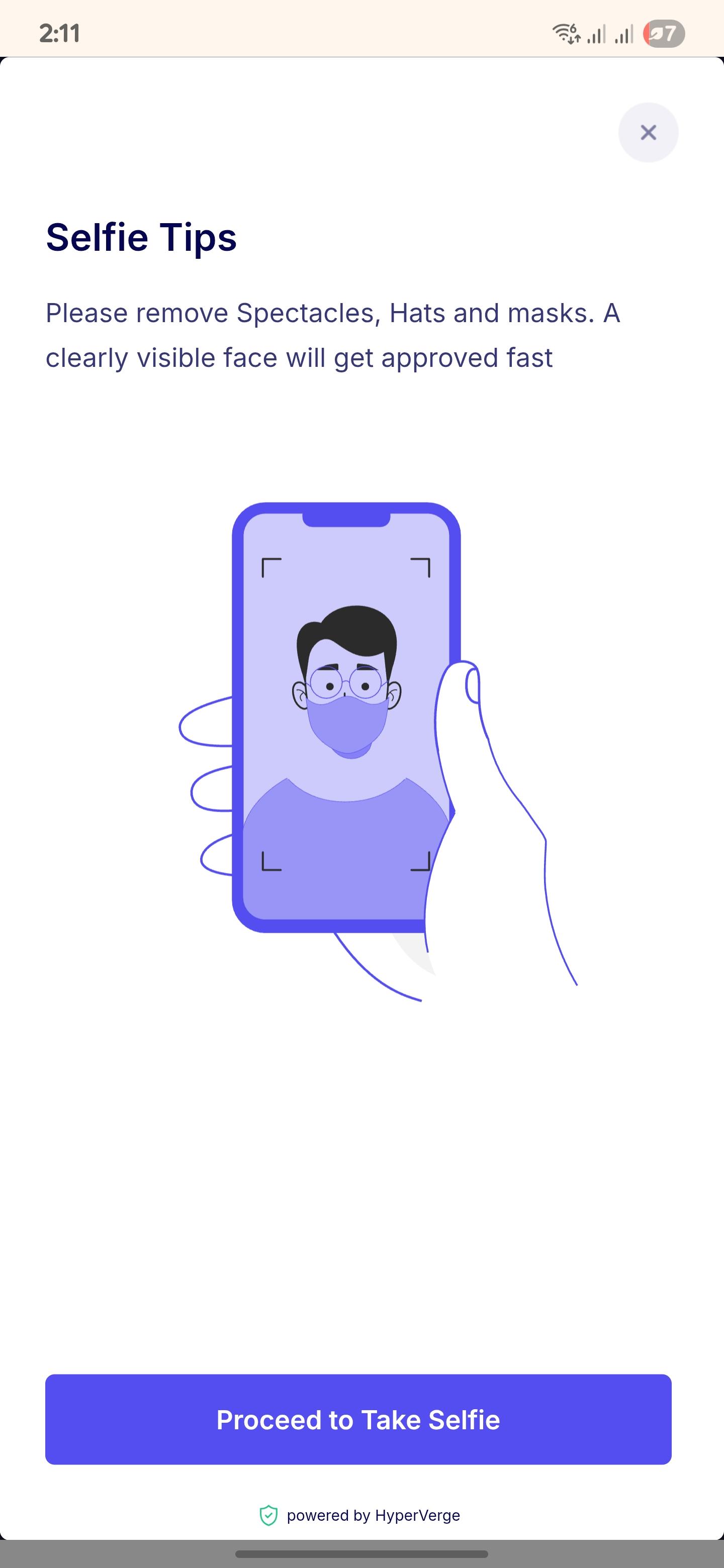
  16. 16

    Capture a Live Selfie

    Take live selfie for Jio Payments Bank digital KYC

    Follow the on-screen guidelines in a well-lit area to capture a clear live selfie for facial verification.
  17. 17

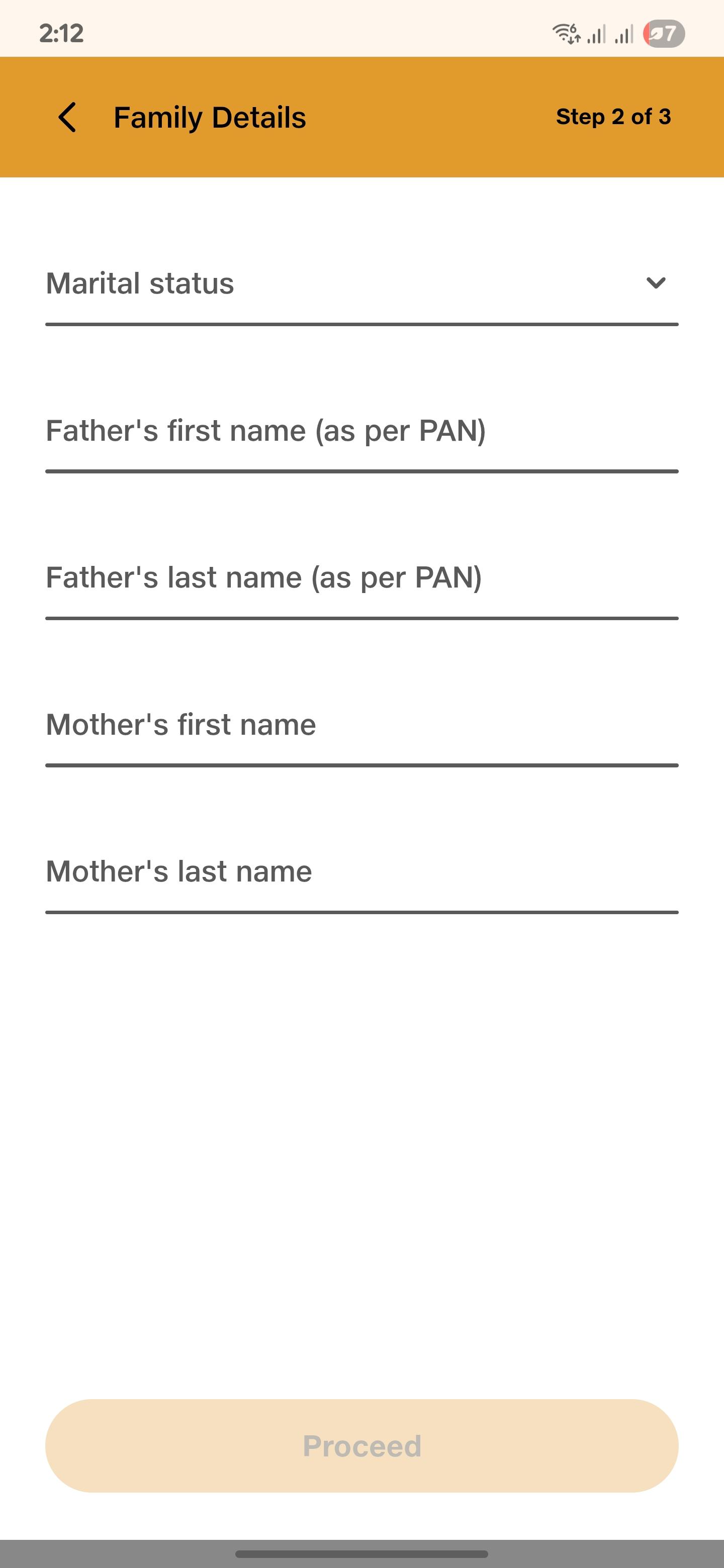
    Enter Family Details

    Enter family details for Jio Payments Bank savings account

    Fill in your personal and family information, including your father's name, mother's name, and marital status.
  18. 18

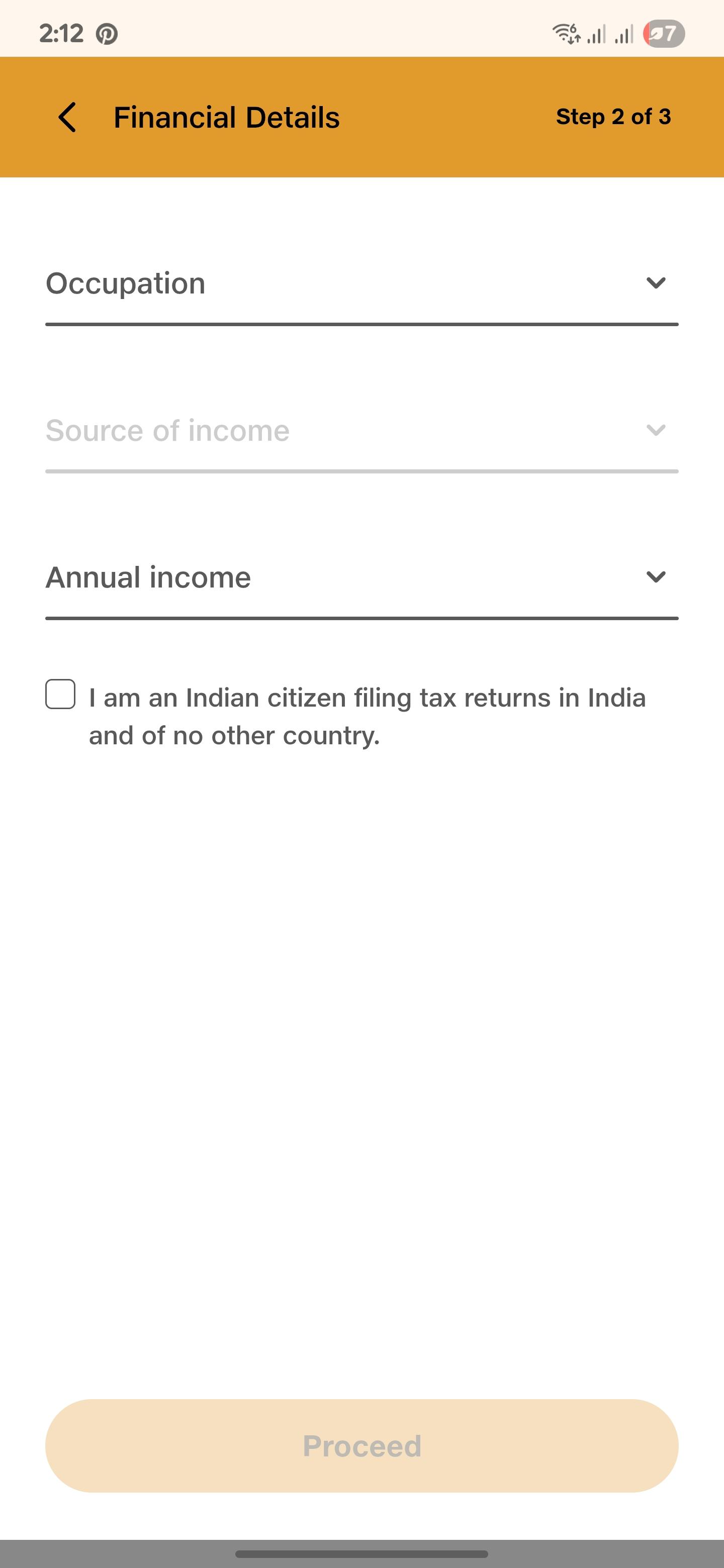
    Enter Occupation and Income Details

    Enter professional and income details in Jio Payments Bank

    Select your occupation type, source of funds, and annual income range as required for banking compliance.
  19. 19

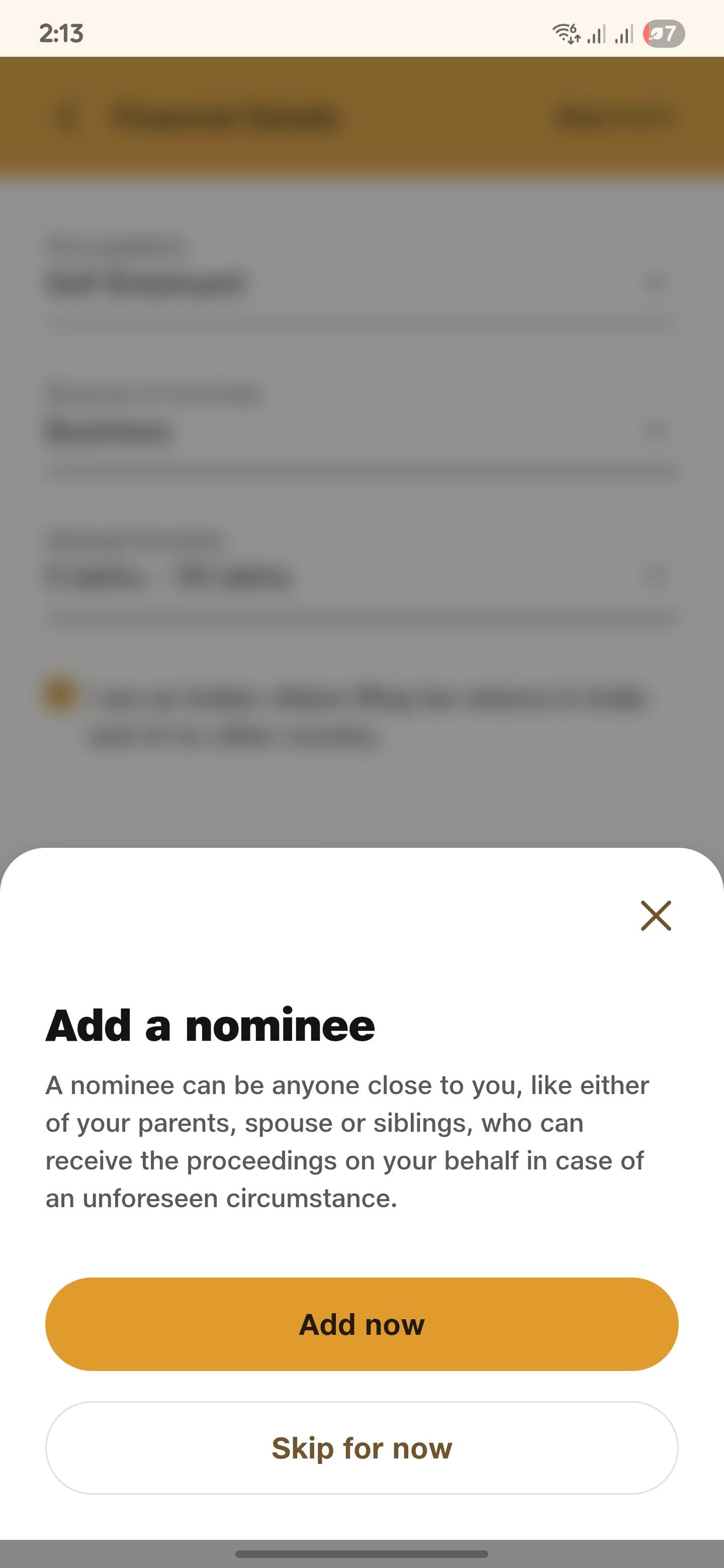
    Add a Nominee or Skip

    Add nominee or skip step in Jio Payments Bank onboarding

    Enter nominee details to secure your savings account, or choose Skip if you wish to add a nominee later.
  20. 20

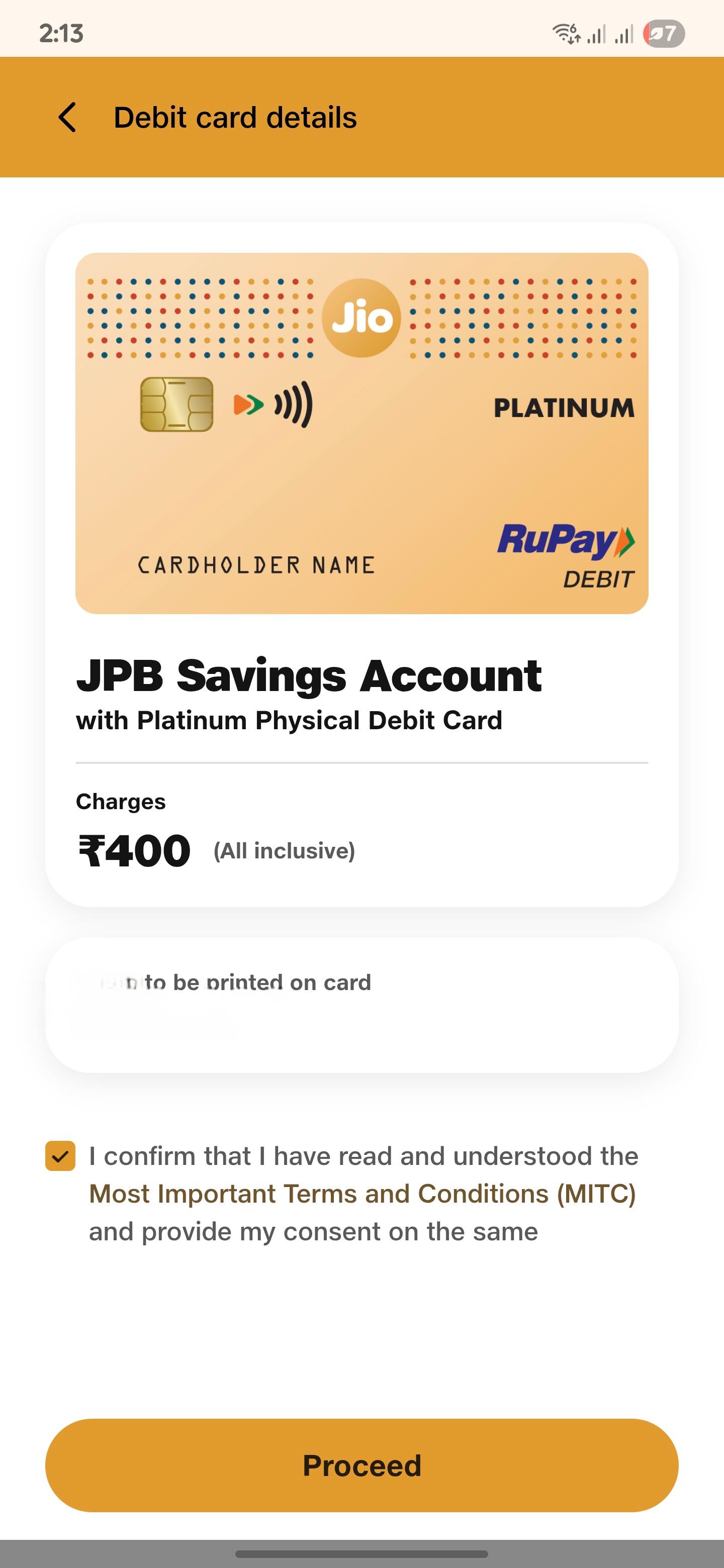
    Pay ₹400 Physical ATM Card Fee (If Applicable)

    Jio Payments Bank physical ATM card fee payment screen

    If you opted for a physical RuPay Platinum debit card, review and pay the applicable ₹400 card issuance charge (inclusive of GST).
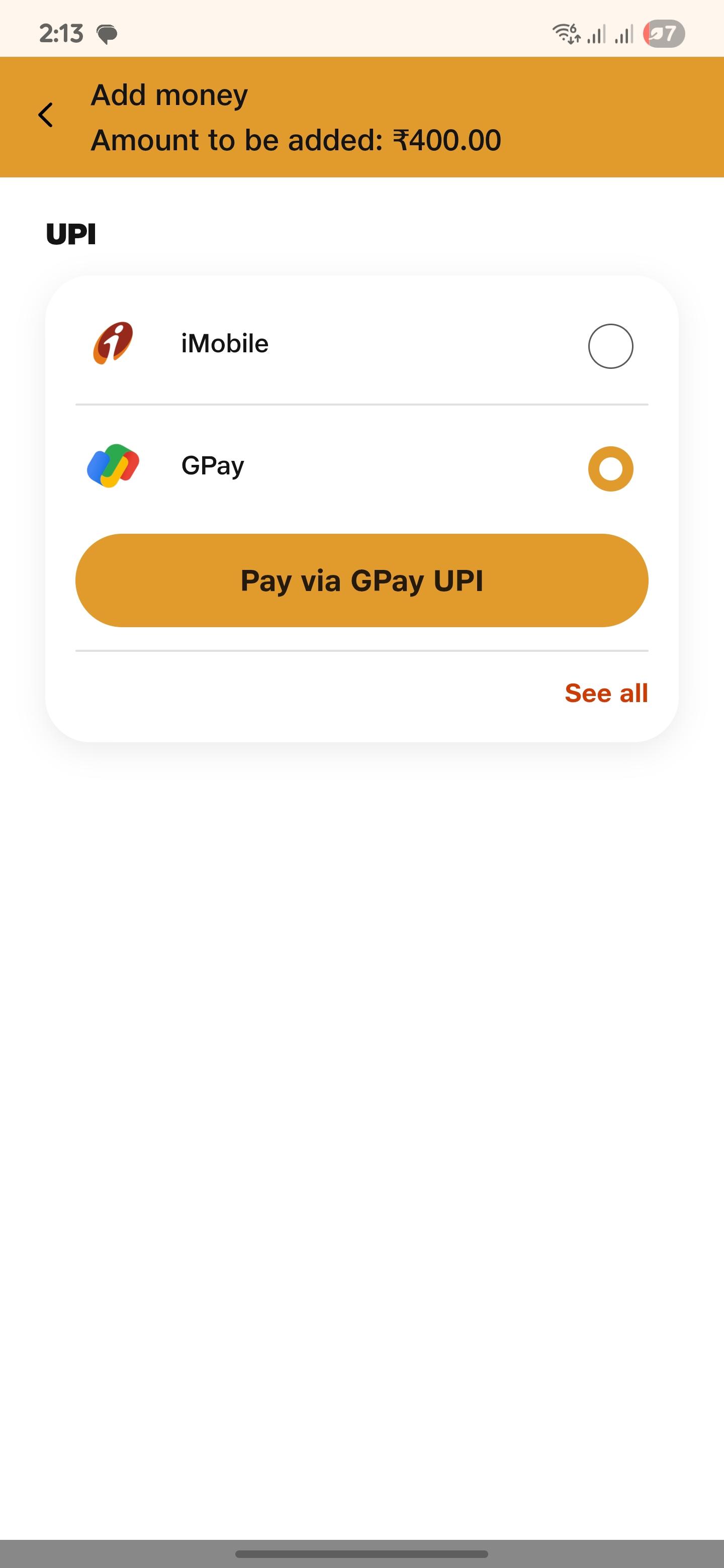
  21. 21

    Select Payment Mode

    Select payment mode for Jio Payments Bank debit card fee

    Choose your preferred payment method such as UPI, net banking, or debit card to complete the card fee payment.
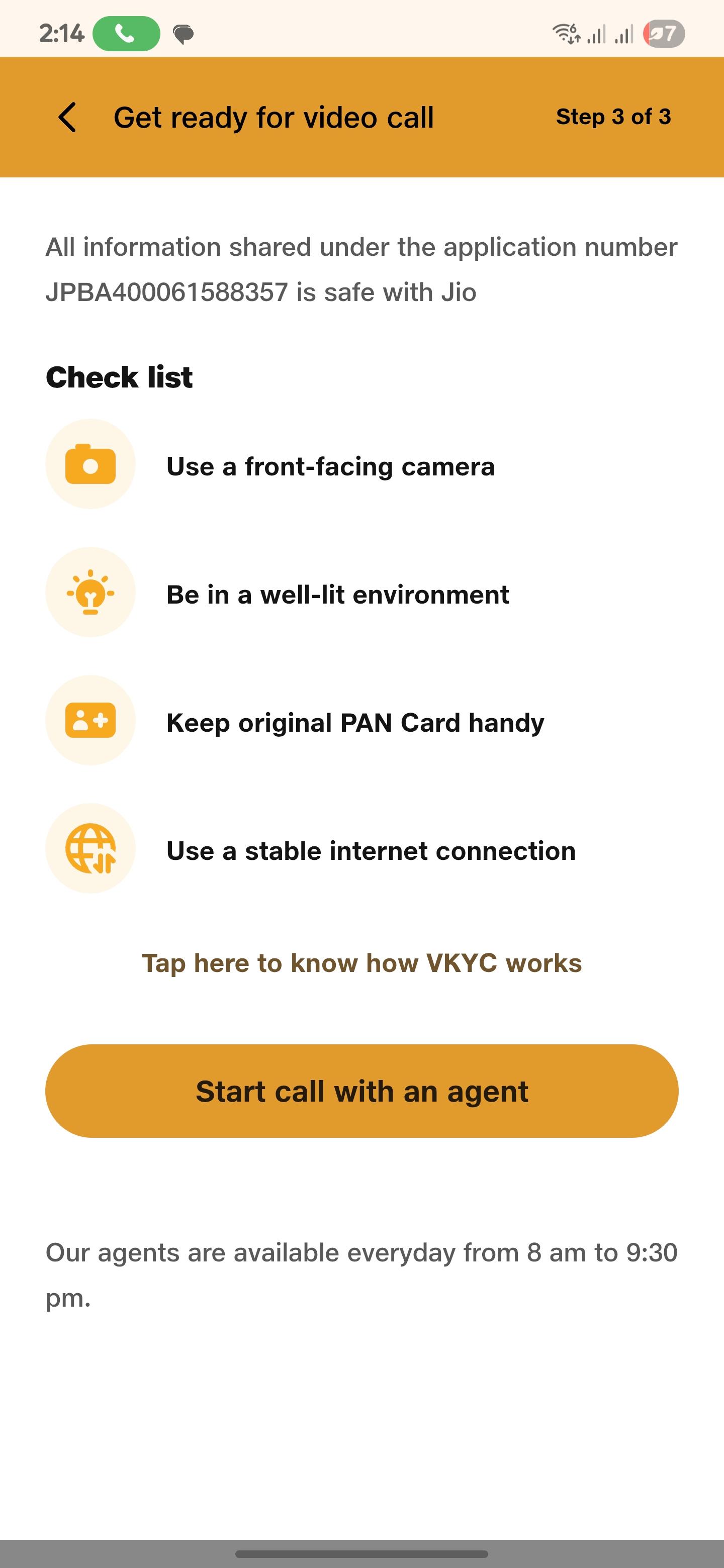
  22. 22

    Start Video KYC (vKYC)

    Start Video KYC with original PAN and Aadhaar for Jio Payments Bank

    Keep your original physical PAN card, Aadhaar card, blank white paper, and a blue/black pen ready, then start your Video KYC call with a Jio Payments Bank agent.
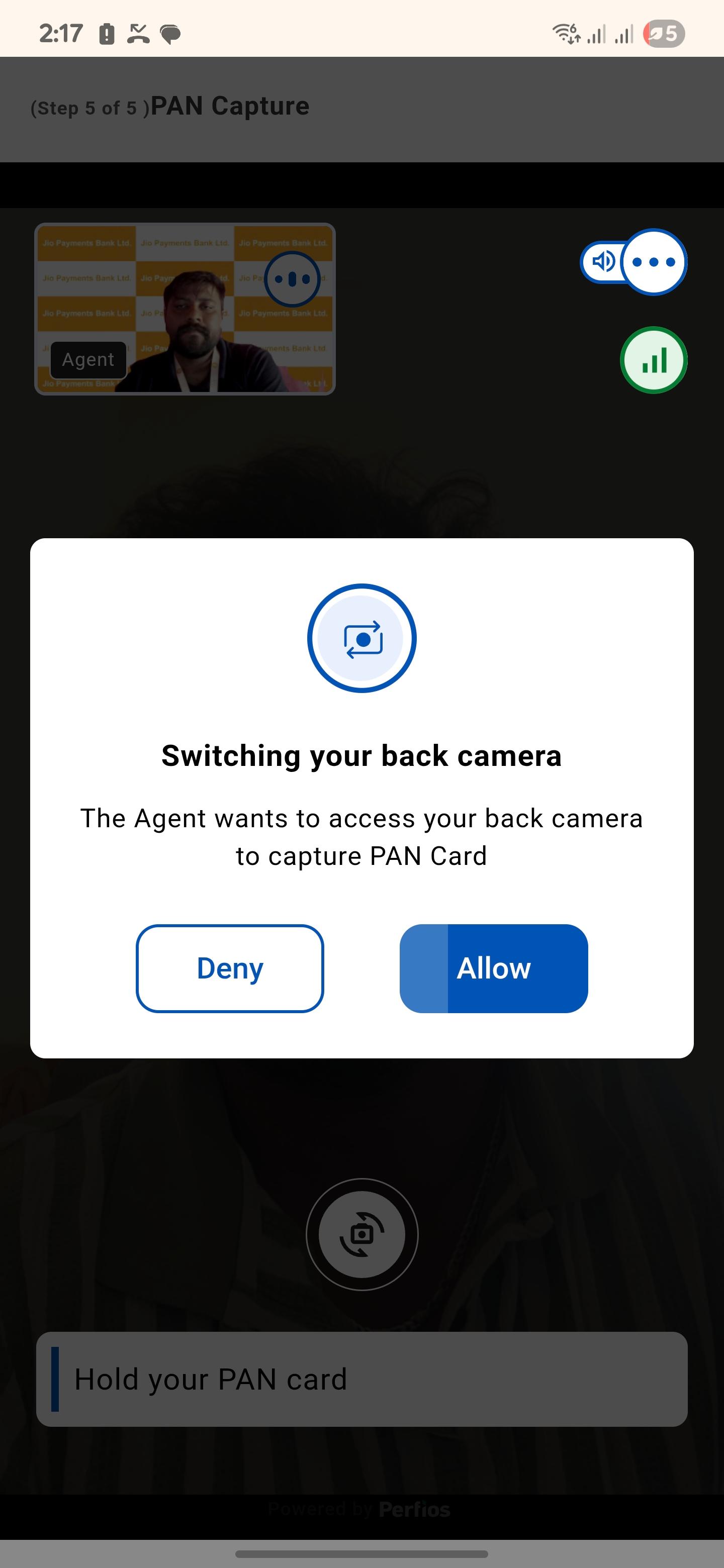
  23. 23

    Complete Video KYC Verification

    Complete Video KYC verification in Jio Payments Bank app

    Follow the banking agent's instructions during the live video call to verify your original PAN card and signature.
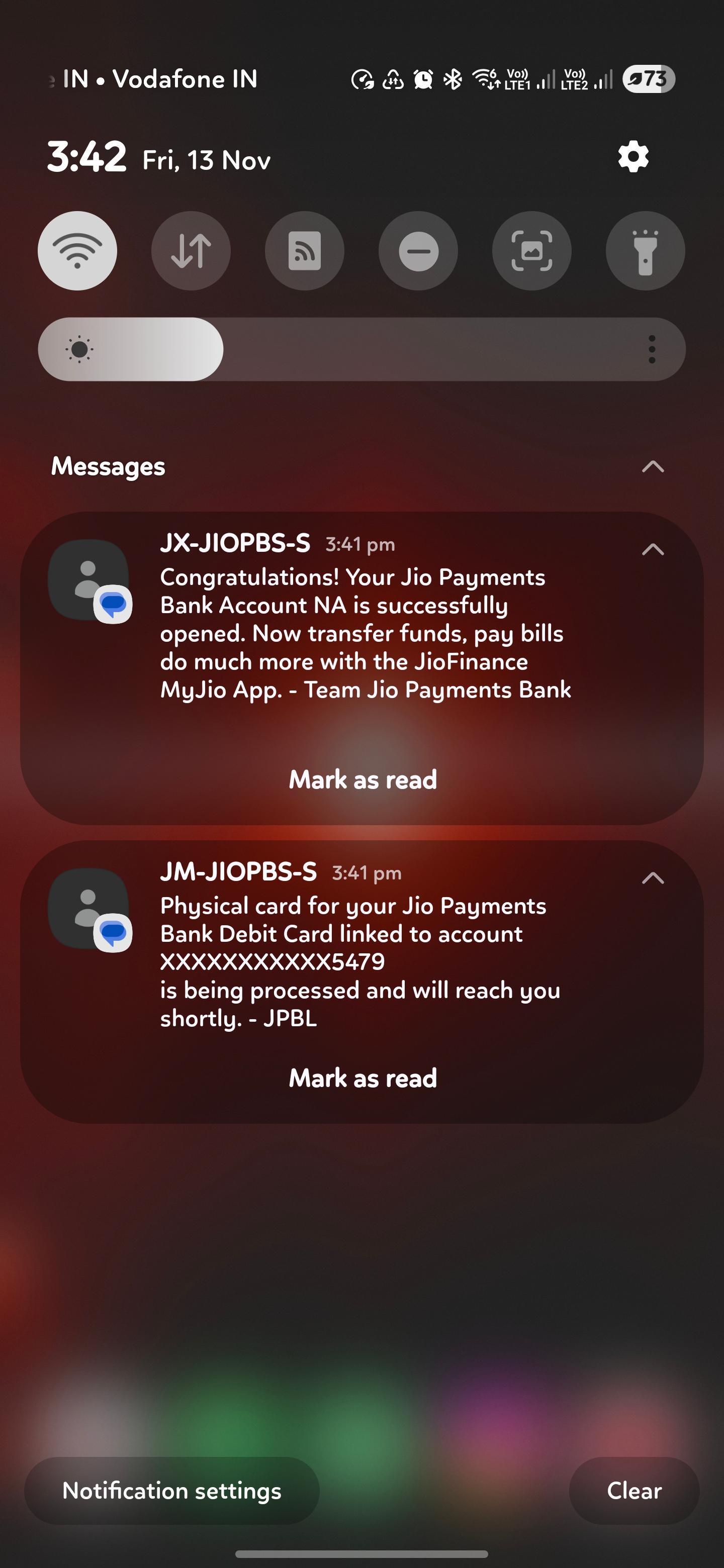
  24. 24

    Account Opened Successfully

    Jio Payments Bank zero balance account opened confirmation screen

    Congratulations! Once your Video KYC is approved, your Jio Payments Bank zero balance savings account is activated and ready for UPI and digital banking.

About Jio Payments Bank

Jio Payments Bank Limited is an RBI-licensed scheduled payments bank in India. Complete your Jio Payments Bank account opening online to open a digital zero balance savings account with UPI payments, instant Aadhaar e-KYC, and attractive interest rates.

  • Bank name: Jio Payments Bank Limited
  • Account type: Savings Account
  • Bank category: Payments Bank
  • Regulator: Reserve Bank of India
  • Minimum balance: ₹0
  • Digital banking: Available
  • Mobile applications: JioFinance and MyJio
  • Account opening: Online or eligible banking outlet
  • Customer support: 1800 890 7070
  • Official website: https://www.jiopayments.bank.in/

Jio Payments Bank Account Features and Benefits

Jio Payments Bank offers zero balance savings accounts suitable for everyday digital transactions. Start your Jio Payments Bank account opening online to enjoy zero minimum balance maintenance, virtual RuPay debit card access, and seamless mobile banking.

  • Zero minimum balance requirement
  • No compulsory initial deposit
  • Digital account opening facility
  • Savings account interest according to balance slabs
  • UPI payments and bank transfers
  • Mobile, DTH and utility bill payments
  • Digital account statements
  • Eligible RuPay Platinum debit card facility
  • Mobile banking access
  • Banking outlet assistance
  • No requirement to own a Jio SIM
  • Account eligibility for Indian residents aged 18 and above

Jio Payments Bank Account Eligibility

Applicants must satisfy the eligibility and KYC requirements for Jio Payments Bank account opening online. Indian residents aged 18 years and above with a valid PAN and Aadhaar can complete the process digitally.

  • Applicant must be an Indian resident
  • Minimum age: 18 years
  • Valid PAN is required
  • Identity and address verification are required
  • Aadhaar-linked mobile number is needed for Aadhaar OTP onboarding
  • Applicant must complete the applicable KYC process
  • Joint savings accounts are not currently offered
  • Account opening is subject to bank verification and approval

Documents Required for Jio Payments Bank Account Opening

Keep the necessary documents ready before starting your Jio Payments Bank account opening online. The standard Aadhaar-based e-KYC requires your original PAN card, Aadhaar card, and Aadhaar-linked mobile number.

  • PAN card
  • Aadhaar card
  • Mobile number linked with Aadhaar
  • Valid residential address details
  • Additional KYC information if requested
  • Camera-enabled smartphone if video KYC is required
DocumentPurpose
PAN CardMandatory PAN verification
Aadhaar CardIdentity and address verification
Aadhaar-linked mobileOTP-based authentication
Additional KYC documentsIf requested by the bank

Jio Payments Bank Account Opening and Maintenance Charges

Jio Payments Bank account opening online is free of charge with zero initial deposit or minimum balance penalty. Optional physical debit card issuance and transaction fees apply as per standard bank tariffs.

  • Minimum balance requirement: Nil
  • Initial deposit requirement: Nil
  • Some digital savings accounts may attract a quarterly subscription fee
  • Physical debit card issuance and annual fees may apply
  • Certain transactions are free only within specified limits
  • Applicable fees may attract GST
  • Always check the official latest schedule of charges
Charge TypeFebruary 2026 Published Rate
Minimum average balance₹0
Non-maintenance penaltyNil
Digital savings quarterly fee₹25 + GST, exemptions apply
Physical debit card issuance₹338.98 + GST
Physical card annual fee from second year₹338.98 + GST
UPI P2P transfersNil
NEFT transferNil
IMPS5 free per month; ₹5 + GST thereafter
Monthly e-statementNil
Account closureCharges depend on account age

Jio Payments Bank Savings Account Interest Rate 2026

Under the interest rate schedule effective January 16, 2026, Jio Payments Bank provides 0.50% annual interest on the first ₹1 lakh and 4.00% annual interest on the incremental balance above ₹1 lakh. Interest is calculated according to applicable daily balances and credited quarterly. Interest rates are subject to revision. Balances exceeding ₹1.95 lakh are handled through the bank's specified sweep arrangement.

  • Interest up to ₹1 lakh: 0.50% p.a.
  • Interest on the balance above ₹1 lakh: 4.00% p.a.
  • Interest is applied progressively across balance slabs
  • Interest credit frequency: Quarterly
  • Interest rates are subject to change
  • Sweep account rules apply to eligible excess balances
Savings Balance SlabAnnual Interest Rate
First ₹1,00,0000.50%
Incremental balance above ₹1,00,0004.00%

Jio Payments Bank Debit Card

Eligible savings account holders can access Jio RuPay Platinum debit card facilities. The bank offers card-related services subject to the customer's account type and applicable charges. Customers should check issuance fees, annual fees, transaction limits and available card benefits.

  • RuPay Platinum debit card option
  • Supported online and merchant payments
  • ATM withdrawal access where applicable
  • Card spending and withdrawal limits apply
  • Physical debit card charges may apply
  • Check current card benefits and eligibility before opting in

Jio Payments Bank Transaction and Balance Limits

As a payments bank, Jio Payments Bank operates under applicable regulatory restrictions. Its published account terms specify a ₹1.95 lakh maximum end-of-day savings balance before applicable sweep arrangements. Transaction limits depend on account category, KYC status and payment channel.

  • Maximum bank savings end-of-day balance: ₹1.95 lakh before sweep arrangements
  • Different transaction limits apply to Aadhaar OTP accounts
  • Aadhaar OTP accounts may require full KYC completion
  • ATM withdrawal limits depend on card and account type
  • UPI transactions are subject to applicable limits
  • Jio Payments Bank does not provide cheque books for these savings accounts

Jio Payments Bank Customer Care

For account opening difficulties, KYC issues, debit card questions, banking complaints or transaction problems, contact Jio Payments Bank through its official support channels. Never disclose OTP, UPI PIN, card PIN or account passwords to anyone.

  • Customer care number: 1800 890 7070
  • Customer support email: we.care@jiopayments.bank.in
  • Official website: https://www.jiopayments.bank.in/
  • Official FAQ: https://www.jiopayments.bank.in/faqs/
  • Service charges: https://www.jiopayments.bank.in/interest-rates-and-service-charges/

Videos

  • Jio Payment Bank Account Open 2026 | Jio Bank Account Opening | Zero Balance Savings Account

Jio Payments Bank FAQs

How can I open a Jio Payments Bank account online?

To start your Jio Payments Bank account opening online, download the official JioFinance or MyJio app, navigate to the Finance tab, select Savings Account, and complete instant e-KYC verification.

Is Jio Payments Bank a zero balance account?

Yes. Jio Payments Bank offers savings accounts without a minimum balance requirement. However, applicable subscription, debit card and transaction charges may still apply.

Is Jio Payments Bank account opening free?

There is no compulsory initial deposit or minimum balance. However, account-related services and subscriptions may carry charges depending on the selected product and current fee schedule.

Can I open a Jio bank account without a Jio SIM?

Yes. A Jio SIM is not mandatory. You can use another supported Indian mobile network number. For Aadhaar OTP onboarding, the mobile number must be linked with your Aadhaar.

What documents are required for Jio Payments Bank?

PAN and Aadhaar are the standard documents used for Aadhaar-based digital onboarding. The bank may request additional documents or verification depending on the selected process.

What is the minimum age to open a Jio Payments Bank savings account?

The minimum age is 18 years. Applicants must also satisfy the bank's residency and KYC requirements.

What is the Jio Payments Bank interest rate in 2026?

The published January 16, 2026 schedule provides 0.50% p.a. on the first ₹1 lakh and 4.00% p.a. on the incremental balance above ₹1 lakh. Rates may change.

Does Jio Payments Bank provide a debit card?

Yes. Eligible customers can access RuPay Platinum debit card facilities. Debit card issuance and annual charges may apply according to the current schedule.

Can I use Jio Payments Bank for UPI transactions?

Yes. Eligible account holders can use supported UPI services to send and receive money, make merchant payments and manage everyday transactions.

Can I open a Jio Payments Bank account using MyJio?

Yes. The bank lists both the JioFinance and MyJio applications as supported account opening channels.

Does Jio Payments Bank require video KYC?

Video KYC or other verification may be required depending on your onboarding route and account status. Follow the instructions shown by the bank and complete all required verification within the specified timeline.

Is Jio Payments Bank approved by RBI?

Yes. Jio Payments Bank Limited is an RBI-licensed scheduled payments bank and operates under applicable banking regulations.

What is the maximum balance in Jio Payments Bank?

The bank specifies a maximum end-of-day savings balance of ₹1.95 lakh before applicable sweep arrangements. Excess funds may be transferred according to the bank's sweep facility rules.

Can I open a joint savings account with Jio Payments Bank?

No. According to the bank's published FAQs and terms, joint savings accounts are not currently supported.

Does Jio Payments Bank provide a cheque book?

No. The bank's published savings account terms state that cheque books are not issued.

What is the Jio Payments Bank customer care number?

For assistance with your Jio Payments Bank account opening online, contact customer care at 1800 890 7070 or email we.care@jiopayments.bank.in.

Can I open Jio Payments Bank account without visiting a branch?

Yes. Eligible users can complete digital onboarding through supported mobile applications, although additional KYC or assisted verification may be required in some cases.

You may also like

More Bank guides first, then other options readers compare.

Open Jio Bank Account